Every channel, one window
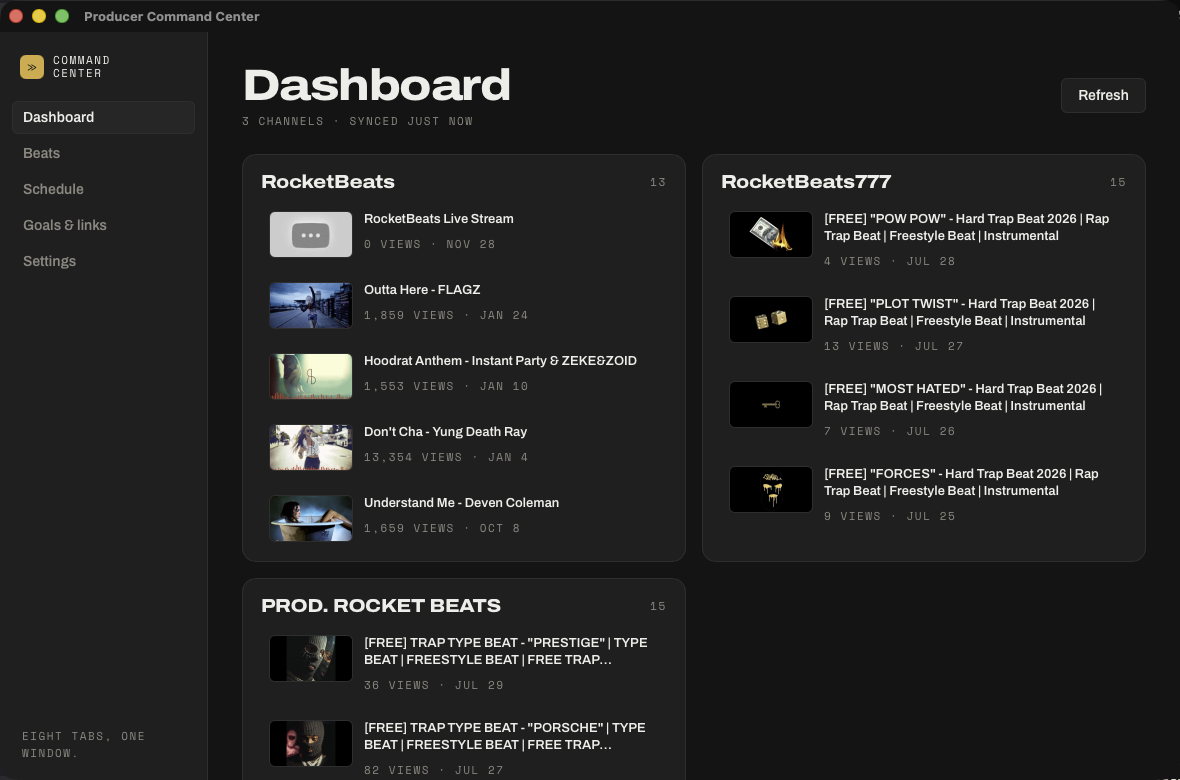
Recent uploads and real view counts, side by side. No login and no key needed — it reads the public feed.
Producer Command Center · Mac & Windows
You've got YouTube Studio open in five tabs, a folder you're scared to look in, and a spreadsheet you stopped updating in March. This is one window that already knows: every channel side by side, your beats folder read, and how long until the next upload slot.
No account No subscription Works offline It runs before you buy
The maths nobody does out loud
Most tools in a producer's life are rented. Nothing wrong with renting when something genuinely costs money to run every month — but this one runs on your computer, so it doesn't.
| What it is | What it costs |
|---|---|
| A keyword and analytics subscription — every year, forever | $199 / yr |
| An outreach subscription — every year, forever | $84 – $348 / yr |
| A desktop tool on a monthly plan — every year, forever | $167 – $1,997 / yr |
| Producer Command Center | $99. Once. |
What's in it
Recent uploads and real view counts, side by side. No login and no key needed — it reads the public feed.
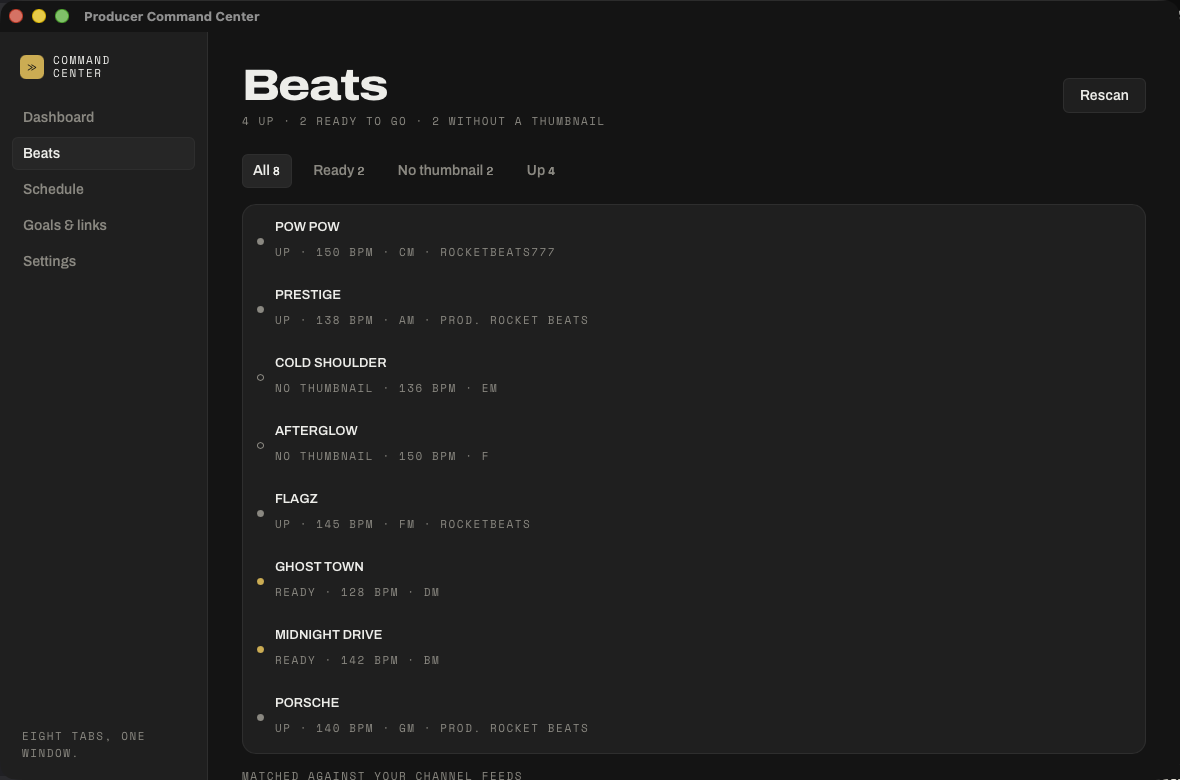
Point it at the folder your finished beats land in. It pulls the BPM, the key and the BeatStars code out of your filenames.
Finished and already up, finished and waiting, or still missing a thumbnail. Three numbers, no digging.
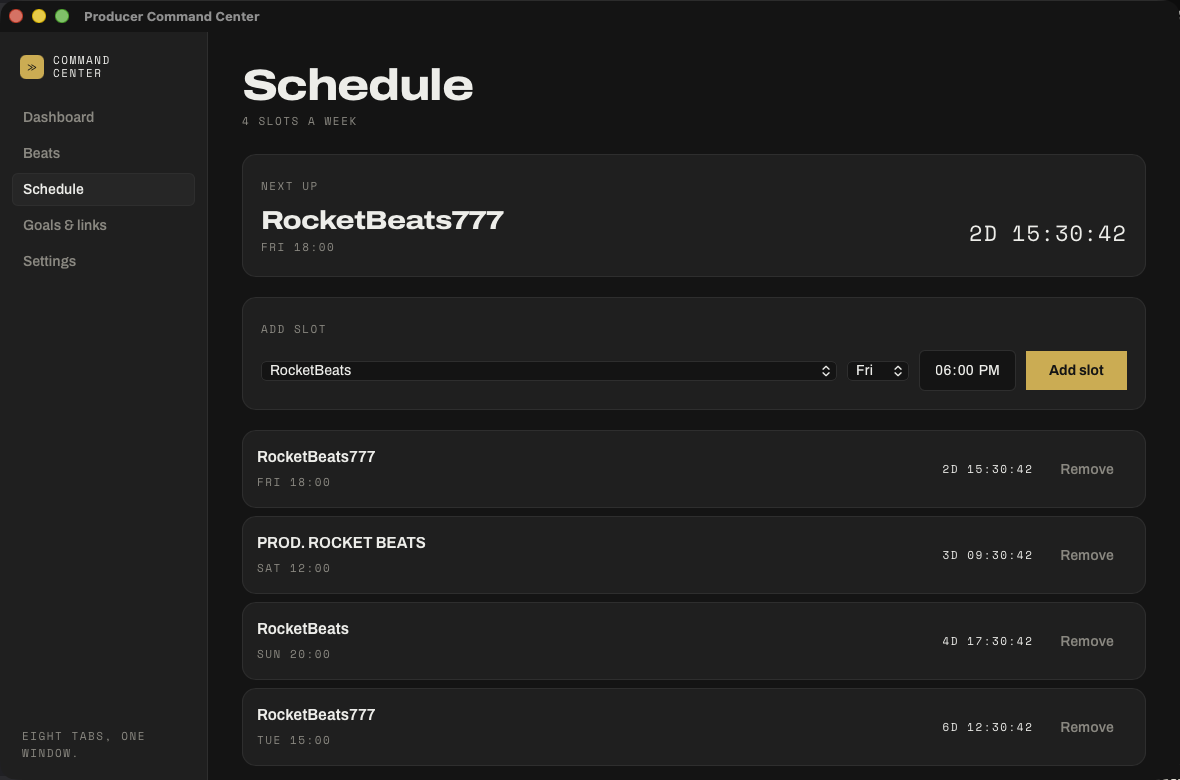
The days you actually upload on, and a live countdown to the next slot. No streaks. Nothing goes red.
BeatStars, Splice, Studio, wherever you go twenty times a day — kept where your hand already is.
Drop your mark in and it's your tool, light or dark. Nothing about it has to look like somebody else's software.
The dashboard
The beats folder
The week
Pricing
Notion template
$19
One payment
Founding — first 100
$79
One payment
Standard
$99
One payment
Staging note — the store isn't live yet, so these buttons go to the download page.
Free mode: two channels, forever, no account 14 days, money back, no questions
The rule this runs on
A feature may only ever be metered if it carries a per-unit cost we actually pay someone else — an API call, storage, an email sent. Nothing that runs on your own computer is ever metered. Ever.
The licence buys every feature that runs on your machine, today and forever, including all future local updates. If optional cloud services ever exist they'll be separate, because they'd cost money every month to run — and if we ever shut them down, your app and your data keep working exactly as they do now. No local feature will ever move behind a subscription.
Who made this
I built this for myself, years before it was a product. Fourteen years in, a gold and a platinum plaque on the wall and 821 beats sold in the last twelve months — and I still couldn't tell you which beats were up and which were sitting in a folder. So I stopped trying to remember and built the window I wanted.
I've got no opinion on how you should run your thing. Type beats, custom work with artists, loop packs, thirteen channels or one — that's yours, and people I respect do all of it. The only thing I'm sure about is that renaming files and cropping thumbnails takes the same hours from all of us, and none of us got into this for that.
From me to you.
Questions
It carries on. The app is on your computer and it doesn't call home to work. Your data is one plain file you can open, copy or export whenever you like. Nothing is held anywhere you can't reach.
No. It never touches your account, never logs into anything, and only reads what's already public. Nothing you own can get banned because of it.
Both. About 4.5 MB on Mac, 7 MB on Windows. It opens more or less instantly, which matters when your machine is already rendering something.
No. Everything on the dashboard works without one. A free key from Google is optional and adds subscriber counts plus your full back catalogue — the app walks you through getting one, and it takes about three minutes.
The whole app on up to two channels. Not a trial, no countdown, nothing greyed out. If two channels is all you run, that's a finished product and you never need to pay me.
Fourteen days, money back, no questions and no form. Write to [email protected] and it's done.
Because these builds aren't code-signed yet. The certificates cost a few hundred a year and I'm buying them out of the first sales rather than pricing them into your licence. The warning is your OS being careful about an app it hasn't seen before, not a sign anything's wrong. The download page shows you the exact steps, and signed builds will arrive as a free update.
Free mode, two channels, no account. Nothing to cancel.